Your business phone number is an asset. Customers have it saved, it is on your truck, your website, your invoices, and your Google Business Profile. When you look at a missed-call text-back tool, the first question is not what the message says — it is what happens to that number.
Most products in this category handle your number in one of three ways: porting it into their platform, forwarding calls through their system, or running on the phone and SIM you already have. Each path has real trade-offs for a solo operator or small crew, and the marketing rarely explains them clearly.
This guide compares the three approaches, explains what actually changes about your phone service, and shows how to keep your number where it is while still sending automatic text-backs to missed calls.
The three ways a missed-call text-back product handles your number
1. Porting: moving your number to the vendor’s platform
What it means: You transfer your existing business number from your carrier to the vendor’s VoIP or telephony platform. The vendor becomes the carrier of record for that number. Your old carrier service on that line stops.
What changes:
– Your number now lives in the vendor’s system. If you cancel, you must port it back out or risk losing it.
– Call quality and routing depend on the vendor’s infrastructure, not your carrier’s cell towers.
– SMS delivery may look different to customers — some VoIP numbers show up differently on recipient phones.
– You usually manage the number through a web dashboard, not the phone itself.
When it makes sense: If you already wanted a full CRM or VoIP phone system and the number move is part of a larger platform switch.
When it does not: If you are a one-truck operation with a working cell plan, good coverage, and no interest in managing a second phone system. Porting adds a carrier migration, a cancellation risk, and a monthly platform dependency for a single feature.
2. Call forwarding: keeping the number, routing calls through the vendor
What it means: Your number stays with your carrier, but unanswered calls are forwarded to the vendor’s system. The vendor detects the missed call and sends the text from their number or yours, depending on the setup.
What changes:
– You configure conditional call forwarding on your carrier line — usually a dial code like *72 plus the vendor’s forwarding number.
– The vendor’s system handles the missed-call detection and SMS send.
– The text may come from a different number than the one the customer dialed, unless the vendor supports sender ID or number masking.
– If the forwarding setup breaks, the fallback is your normal voicemail — but the auto-text stops working silently.
When it makes sense: If you want to keep your carrier but need a cloud-based system to handle the automation layer.
When it does not: If you do not want another configuration step that can fail, another number the customer might see, or another monthly vendor between your phone and your customer. Solo operators often discover forwarding has broken only when a customer says they never got the text.
3. On-device: the app runs on your Android phone with your existing SIM
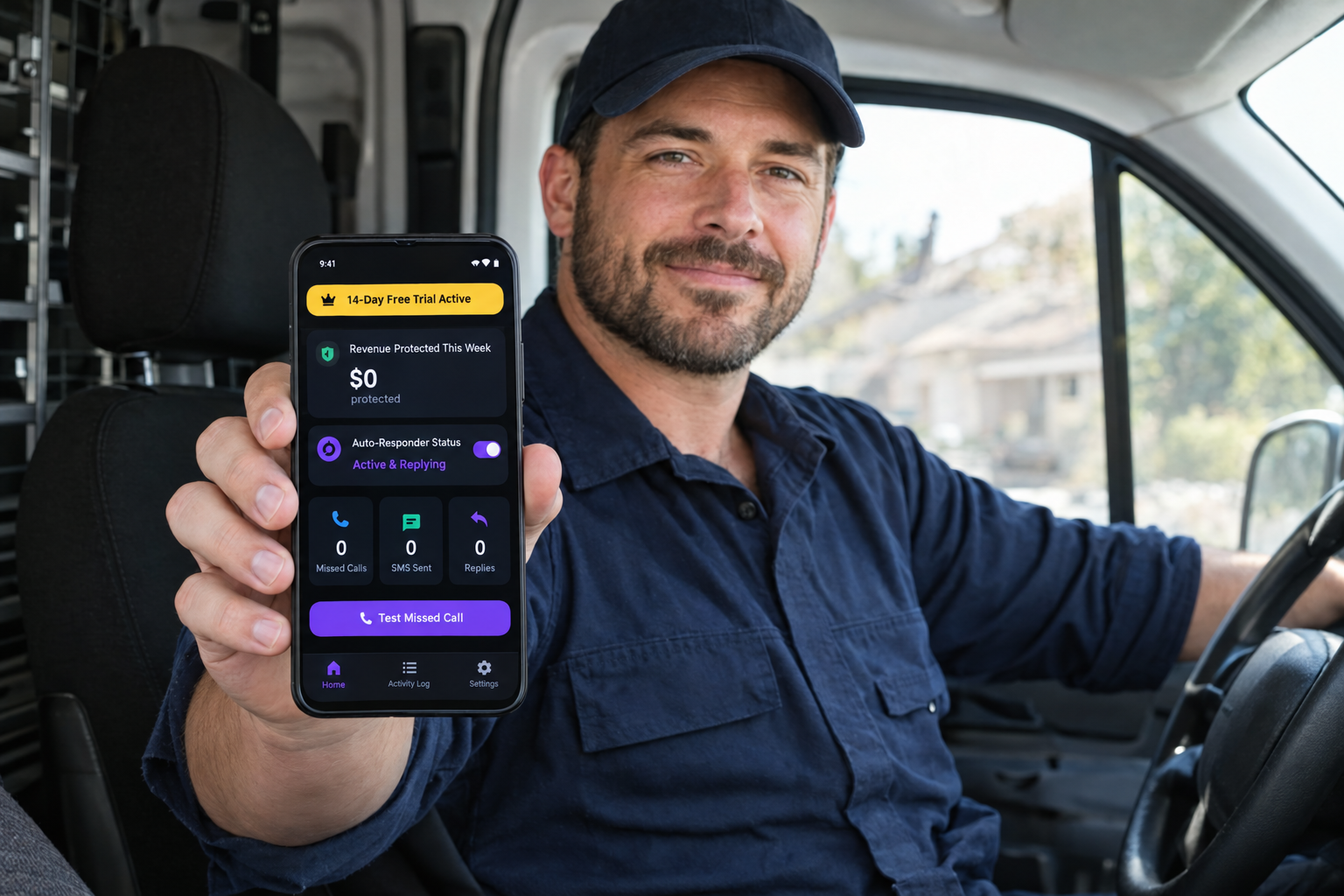
What it means: The app is installed on the Android phone you already use for business. It detects missed calls locally, applies your rules, and sends SMS from the same SIM and number the customer just dialed. No porting. No forwarding. No carrier changes.
What changes:
– The number stays exactly where it is — your carrier, your plan, your bill.
– The text is sent from your actual phone number, so the customer sees the same number they called.
– Call quality, coverage, and reliability are unchanged because the call never leaves your carrier network.
– The app needs call and SMS permissions on the device, which are sensitive Android permissions that must be justified to Google Play.
– If the phone is off, out of battery, or has no signal, the automation does not run — same as any phone-based system.
When it makes sense: If you are a solo operator or small crew who already runs the business from one Android phone and wants the simplest path with the fewest external dependencies.
When it does not: If you have a staffed office with a landline or PBX, or if you need team-wide call routing and shared inboxes. On-device apps are personal-phone solutions.
What can go wrong with porting and forwarding
Porting risks
- Port-out delays: If you cancel the vendor, porting your number back to a carrier can take days. During that window, the number is in limbo and customers cannot reach you.
- VoIP deliverability: Some carriers and devices flag VoIP-sent SMS differently. A customer may not recognize the sender, or the message may land in a spam filter.
- Feature lock-in: Once your number is on the platform, basic call handling requires the platform. You cannot just drop the text-back feature and keep the number running independently.
- Support dependency: If the vendor has an outage, your number’s behavior is tied to their status page, not your carrier’s.
Forwarding risks
- Silent failures: Conditional call forwarding can be disabled by carrier plan changes, phone resets, or OS updates. Most people do not notice until a lead complains.
- Two-number confusion: If the reply text comes from a different number than the one the customer called, they may ignore it or text back to the wrong line.
- Voicemail collision: Some forwarding setups compete with your carrier voicemail. The vendor may capture the “missed” signal before your carrier does, or vice versa, leading to inconsistent behavior.
- Configuration debt: Every time you change phones, carriers, or plans, you must re-verify the forwarding rule.
What to ask before you sign up
Use these questions with any vendor:
| Question | Why it matters |
|---|---|
| Do I keep my existing carrier and plan? | Porting means you do not. Forwarding means you do, but with a configuration layer. On-device means yes, completely. |
| Does the text come from my number or yours? | If it comes from a different number, customers may not recognize it. |
| What happens if I cancel? | Porting: you must port the number back. Forwarding: you remove the forwarding rule. On-device: you uninstall the app. |
| Does it work when I am driving or the phone is locked? | On-device apps need the phone on and responsive. Forwarding needs the forwarding rule active. Porting needs the platform up. |
| Can I exclude personal contacts and spam callers? | A business auto-text to your spouse or to a robocall is a problem every product should prevent. |
| Is there a contract or minimum term? | Porting often comes with platform commitments. On-device apps usually work month-to-month or as a simple subscription. |
How the on-device approach works in practice
- Install the app on your Android business phone from Google Play.
- Grant the call and SMS permissions the app requests. Google Play requires apps to justify these permissions for a core function — review the justification before you agree.
- Write your message, set your exclusions, and choose your working hours.
- Test from a second phone. Confirm the text sends from your number and that replies land where you will see them.
- Monitor for a week. Check that exclusions work, that duplicates do not fire, and that the message reads the way you intended.
That is the full setup. There is no carrier call, no porting form, no forwarding code, and no web dashboard to manage the number itself.
Who should not use an on-device app
- Businesses with a landline or PBX: On-device apps run on mobile phones. If your main business number is a landline, you need a forwarding or porting solution instead.
- Teams with shared inboxes: If three people answer the same business line and need a shared view of replies, a cloud platform is the better fit.
- Businesses that want analytics dashboards: On-device apps log locally. If you need web-based reporting, team metrics, or CRM integration, a platform product is more appropriate.
FAQ
Do I have to port my number to use missed call text back?
No. Porting is one of three common approaches, but it is not required. Call forwarding and on-device apps both keep your number with your current carrier.
What is the difference between forwarding and on-device?
Forwarding routes your unanswered calls through the vendor’s system, which then sends the text. The vendor sits between your carrier and your customer. An on-device app detects the missed call on your phone itself and sends the text from your SIM, with no vendor in the middle.
Will customers see a different number in the text?
That depends on the product. Porting solutions usually send from your ported number. Forwarding solutions may send from a different number unless they support sender ID matching. On-device apps send from the same phone and SIM the customer called, so the number is identical.
Can I stop using the service without losing my number?
With porting, you must port the number back to a carrier before you cancel, or you risk losing it. With forwarding, you remove the forwarding rule and nothing changes about your number. With an on-device app, you uninstall the app and your phone works exactly as before.
Conclusion
Your phone number is not a configuration detail — it is how customers find you. Before choosing a missed-call text-back tool, understand what the product actually does with that number. Porting moves it. Forwarding routes through a third party. An on-device app leaves it exactly where it is and sends texts from the phone already in your pocket.
For solo contractors and small crews who want the feature without the infrastructure, the on-device path is the simplest and the one with the fewest long-term dependencies. If that matches how you work, SnapBack Pro is an Android app built around it. If you want to compare the general approaches first, our guide to missed-call auto-text apps on Android, the SnapBack vs GoHighLevel vs CallRail comparison, the Android setup walkthrough, and plumber-specific templates cover the rest of the workflow.
Stop losing jobs to missed calls
SnapBack texts every missed caller back in seconds from your real number and SIM — no porting, no VoIP, no answering service. Free 2-week trial, Android.

5 responses to “Missed Call Text Back Without Porting Your Business Number”
[…] use. For the surrounding detail, see how to automatically text back missed callers on Android, missed call text back without porting your number, and the trade playbooks for plumbers, roofers, and […]
[…] a phone behavior, a platform, or a report — and the choice gets much simpler. If it is the first, missed call text back without porting your business number explains how the on-device route works, and the SMS autoresponder pillar covers which type of […]
[…] If keeping your existing number without adding a forwarding dependency is the priority, see our full comparison of the three approaches. […]
[…] Others, including SnapBack Pro, run on the Android phone and SIM you already have. See our guide to missed call text back without porting for the full […]
[…] This is a decision guide for a solo service-business owner using one cell number for both customers and family. For a comparison of porting, forwarding and on-device systems, see our guide to keeping your number without porting. […]